Custom VR training development
Custom VR solutions for the work you actually do.
Build VR training around your equipment, your procedures, and the decisions your operators need to make. Seneca connects that practice to the same work instructions your team uses on the floor.
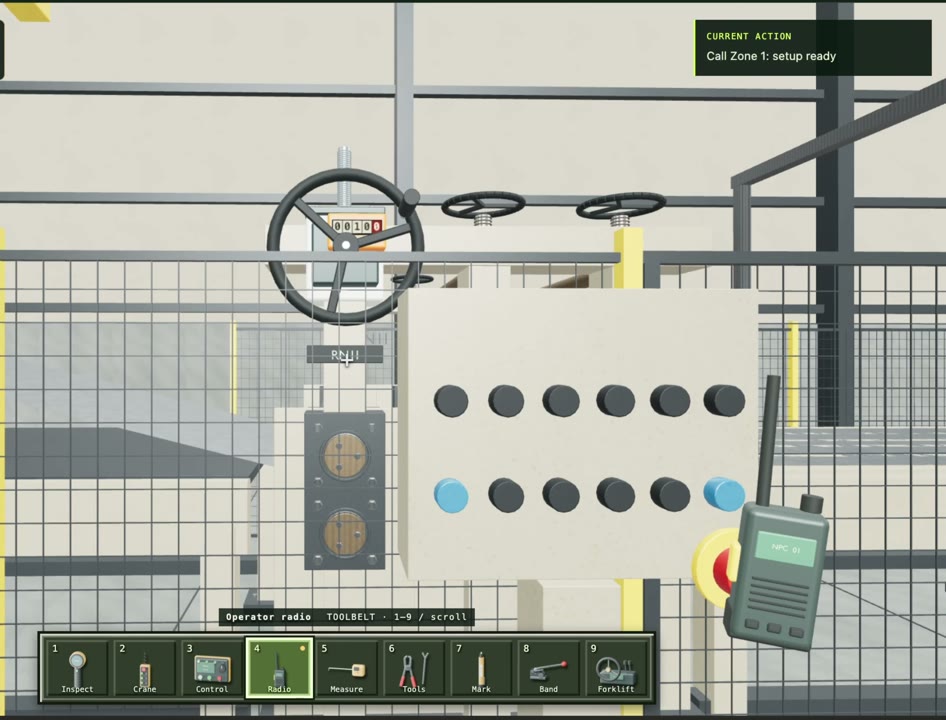
Your equipment
Start with CAD and references for the machine, tools, parts, and workstation.
Your method
Use the approved sequence, important checks, and reasons behind each step.
Your readiness criteria
Define what an operator must demonstrate before moving to supervised work.
01 / Custom VR Solutions
What makes an industrial VR solution custom?
A generic simulation can introduce a concept. A custom VR training solution needs to reflect the job an operator will perform: which part goes where, what happens first, how the tool is used, and what a correct result looks like. The useful starting point is a defined work procedure and a clear training objective.
For an assembly task, that might mean recognizing components, positioning a part, following the assembly sequence, and checking the result. For equipment familiarization, it could mean identifying controls and understanding the order of operation. Scope the experience around those objectives before expanding the environment.
02 / Custom VR Solutions
Bring the procedure and the 3D context together
Bring existing SOPs, a recording of an experienced operator, drawings, and available CAD. Seneca uses those sources to connect the written instruction with visual and interactive training. Your team reviews the method and the training checks before the exercise becomes part of an operator’s learning path.
CAD provides geometry, but it does not explain every interaction. The training still needs decisions about which parts move, which actions are allowed, what feedback to give, and when a step counts as complete. Those decisions belong in the project brief.
03 / Custom VR Solutions
Keep custom VR training connected to changes
A machine revision or process improvement should trigger a review of the affected instruction and training. Keep a record of which procedure version the exercise represents, which steps changed, and who approved the update. Test the updated exercise before assigning it to operators.
Seneca brings VR into a broader training flow: learn the job on a computer, practise the sequence in VR, demonstrate it with a trainer, and revisit the instructions during real work. Your practical sign-off remains tied to the actual task.
Questions
Before you start.
Can we use our own CAD?
Yes. Bring available CAD, drawings, and equipment references when scoping the exercise. Model preparation and interaction requirements depend on the training objective.
Can AI help create custom VR training?
AI can help turn source material into a structured procedure and training sequence. Equipment geometry, interactions, checks, and the finished experience still need review.
What should we bring to a demo?
Bring one representative procedure, a short demonstration recording, available CAD, and the skills you want an operator to demonstrate.
See Seneca at work
Bring us one job.
Start there.
Show us the procedure, training need, or production workflow you want to improve.